 中文
中文 English
Products
地址:深圳市龙华区大浪街道华兴路富隆特工业园5栋4号门3楼
电话:0755-28154462
传真:0755-28153709
邮箱:lianhongtai@sohu.com
bowutech@163.com
电话:0755-28154462
传真:0755-28153709
邮箱:lianhongtai@sohu.com
bowutech@163.com
KVM Extender
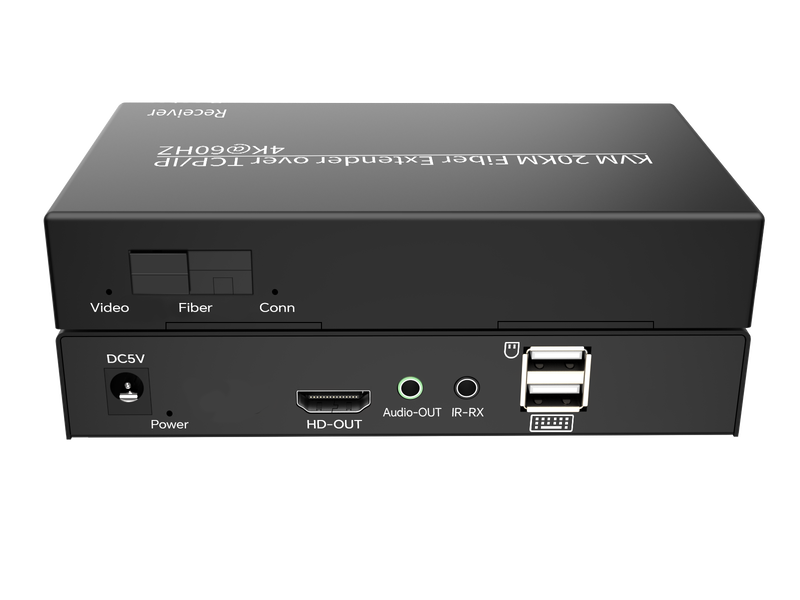

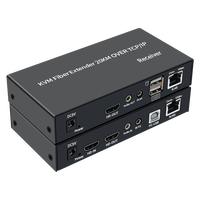

20KM HDTV KVM Extender 2.0
HFKE20-2.0
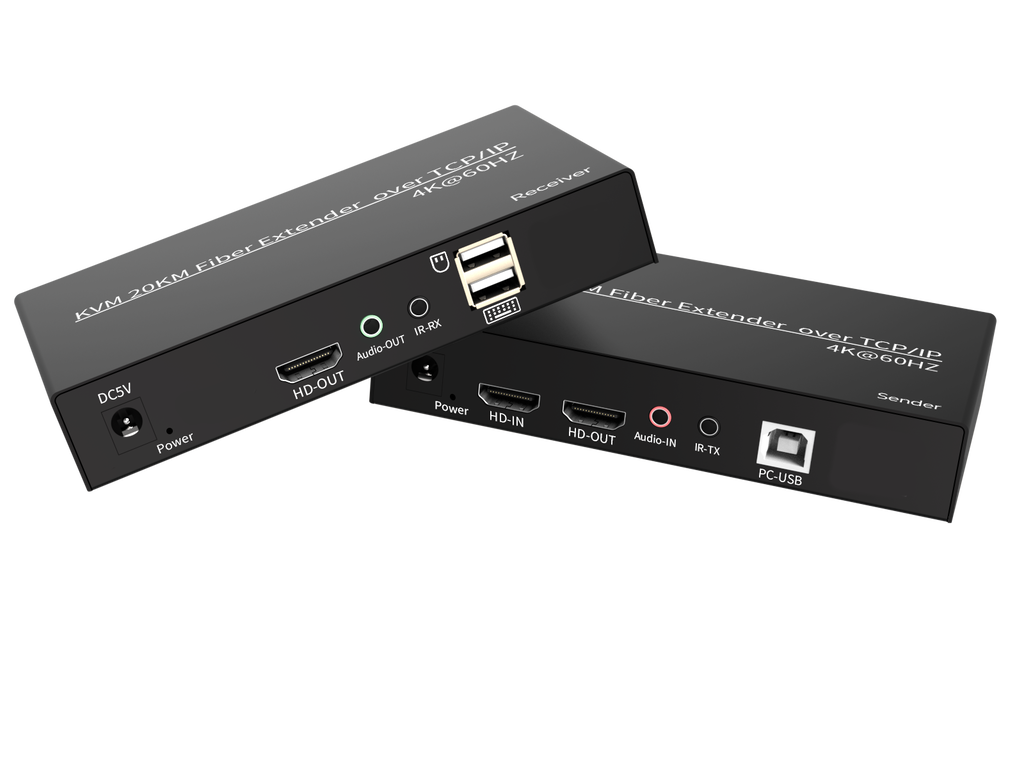
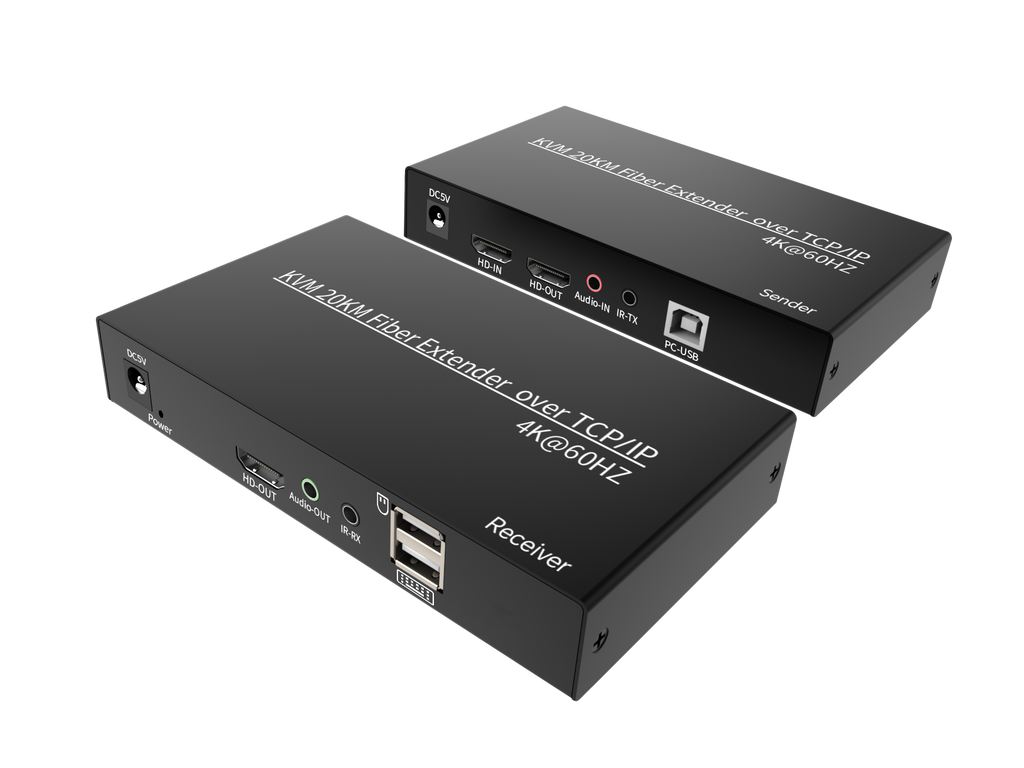
This Extender, using a single optical fiber, extends high-definition TV signals and USB keyboard/mouse signals up to 20km, achieving a resolution of up to 3840*2160@60Hz. It not only breaks the distance limitations of HDTV cables, but also allows for more flexible and convenient cabling with CAT-5E/6 or fiber optic connections. This HDTV Extender uses an HDMI (High-Definition Multimedia Interface) connector, and if an HDTV-to-DVI adapter is used, it also supports DVI (Digital Display Interface), providing greater flexibility and more options for home theater systems. It offers various solutions for home users, such as for high-definition TV sales and demonstrations, set-top boxes, DVDs, projectors, and other devices, as well as in the fields of space and security, data control centers, information dissemination centers, conference rooms, schools, and corporate training.
Uses and Convenience
1) HDTV cables have a fixed length after production and cannot be changed. The connection between the HDMI connector and the cable can only be made by professionals in the factory; users cannot shorten or lengthen the HDTV cable themselves. Fiber optic cables, however, are different. They are very common, and users can handle and install them themselves, making the process simple and convenient.
2) HDTV connectors are relatively large, and long HDMI cables need to be concealed during use (for wiring). HDMI cables are also not easily bent, making them difficult to stretch and run through conduits or cable trays. Fiber optic cables do not have these problems.
3) When using an extender, fiber optic cables can transmit signals up to 20km, while for regular HDMI cables, distances exceeding 10 meters require custom orders.
Features
This extender offers numerous advantages, including:
1) Paired use, no setup required
2) Long-distance transmission via fiber optic cable instead of HDMI
3) HKF-2.0 and resolution up to 3840*2160@60Hz
4) Compact design
5) Signal transmission rate up to 6Gbps
6) HDCP compatible
7) Supports lossless audio compression, such as LPCM
8) Supports compressed audio, such as DTS and Dolby (including DTS-HD and Full HD Dolby)
10) Transmitter with HDMI video output, independent audio input, and infrared output
11) Receiver with independent audio output and infrared input
Specifications
1) For high-quality signal transmission, please use standard fiber optic cable.
2) Non-standard cables may result in poor transmission quality or inability to achieve long-distance transmission.
3) All functions operate normally within the nominal distance.
If this product cannot achieve long-distance transmission, it may be due to cable quality issues. 5. Operating Steps
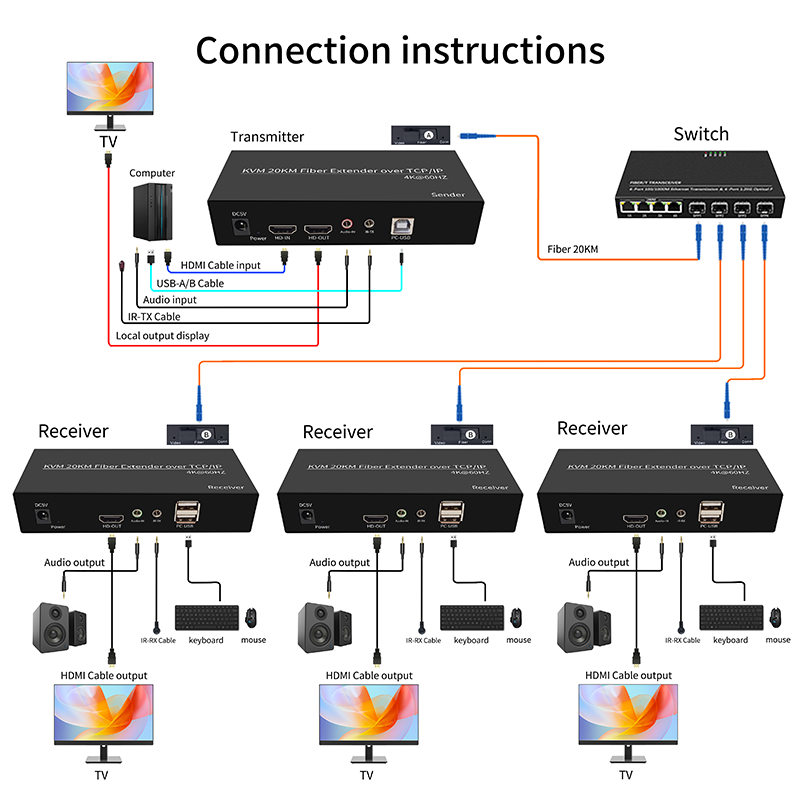
1) Connect the display device directly to the signal source player using an HDMI cable to check for signal output and display functionality;
2) Connect the HDTV IN and USB IN ports of the sender to the host computer using an HDTV cable and a USB printer cable;
3) Connect the receiver and the display device, and the sender and the display device, using HDTV cables;
4) Connect the host computer's DC 3.5 audio port to the sender, and the receiver to the speakers using audio cables;
5) Connect the mouse and keyboard to the receiver's USB port;
6) Connect the sender and receiver using an optical fiber;
7) Power on the sender and receiver;
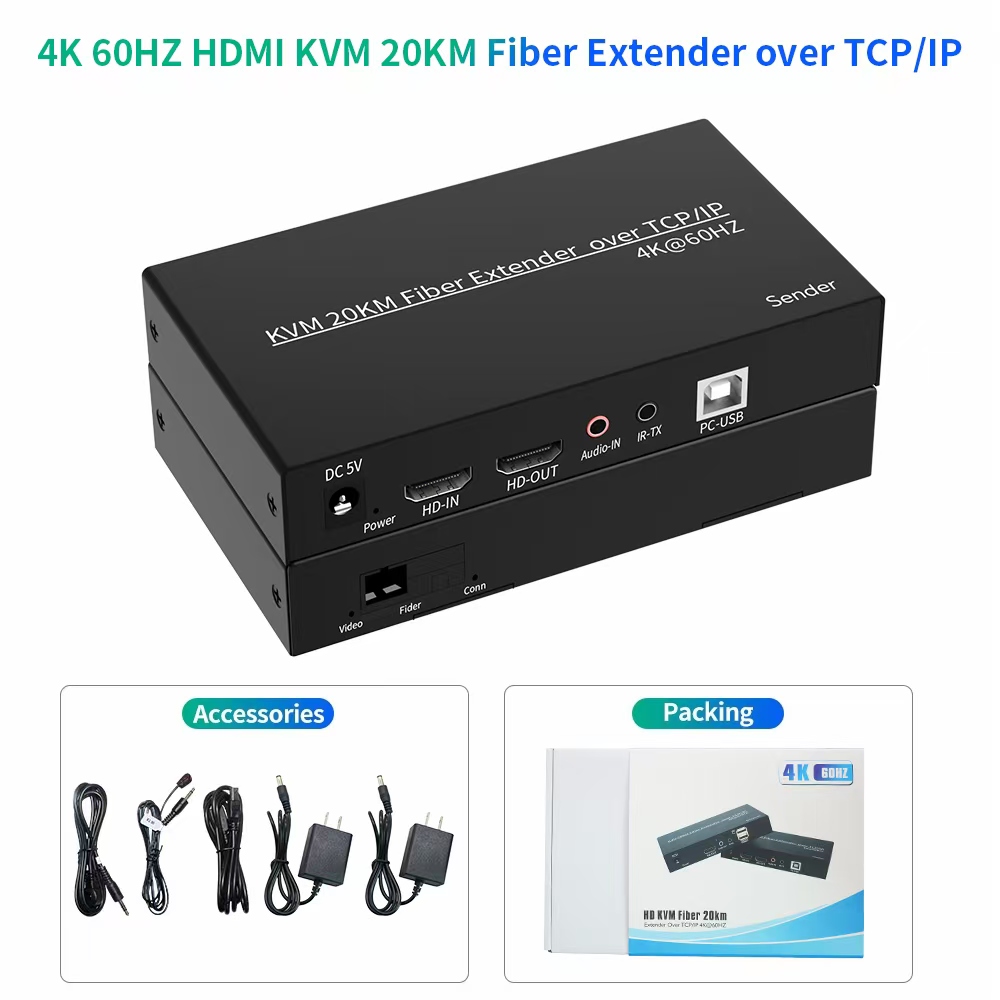
1) HDTV cables have a fixed length after production and cannot be changed. The connection between the HDMI connector and the cable can only be made by professionals in the factory; users cannot shorten or lengthen the HDTV cable themselves. Fiber optic cables, however, are different. They are very common, and users can handle and install them themselves, making the process simple and convenient.
2) HDTV connectors are relatively large, and long HDMI cables need to be concealed during use (for wiring). HDMI cables are also not easily bent, making them difficult to stretch and run through conduits or cable trays. Fiber optic cables do not have these problems.
3) When using an extender, fiber optic cables can transmit signals up to 20km, while for regular HDMI cables, distances exceeding 10 meters require custom orders.
Features
This extender offers numerous advantages, including:
1) Paired use, no setup required
2) Long-distance transmission via fiber optic cable instead of HDMI
3) HKF-2.0 and resolution up to 3840*2160@60Hz
4) Compact design
5) Signal transmission rate up to 6Gbps
6) HDCP compatible
7) Supports lossless audio compression, such as LPCM
8) Supports compressed audio, such as DTS and Dolby (including DTS-HD and Full HD Dolby)
10) Transmitter with HDMI video output, independent audio input, and infrared output
11) Receiver with independent audio output and infrared input
Specifications
1) For high-quality signal transmission, please use standard fiber optic cable.
2) Non-standard cables may result in poor transmission quality or inability to achieve long-distance transmission.
3) All functions operate normally within the nominal distance.
If this product cannot achieve long-distance transmission, it may be due to cable quality issues. 5. Operating Steps
1) Connect the display device directly to the signal source player using an HDMI cable to check for signal output and display functionality;
2) Connect the HDTV IN and USB IN ports of the sender to the host computer using an HDTV cable and a USB printer cable;
3) Connect the receiver and the display device, and the sender and the display device, using HDTV cables;
4) Connect the host computer's DC 3.5 audio port to the sender, and the receiver to the speakers using audio cables;
5) Connect the mouse and keyboard to the receiver's USB port;
6) Connect the sender and receiver using an optical fiber;
7) Power on the sender and receiver;
店铺直达